
Guides
How to spec hardware for Kinesense
The CPU, GPU, SSD and RAM we recommend for a Kinesense LE workstation, and why each one matters for video import, transcoding and analytics.
For a Kinesense LE workstation we recommend Intel Core Ultra 9 or similar CPU, NVIDIA GeForce RTX 5070 or similar. DirectX 12 support is required. SSD rated at 7000 MB/s or more, and 32 GB of DDR5 RAM at 4800 MHz or faster. The GPU matters most if you use the more intensive algorithms: person attribute analysis, vehicle number plate recognition (ANPR) and face recognition.
The short guide below explains what each component does in Kinesense LE, so you can pick the right CPU and GPU for your deployment.
Recommended spec at a glance
| Component | Our recommendation | Why it matters |
|---|---|---|
| CPU | Intel Core Ultra 9 or similar | Clock speed sets how fast video imports |
| GPU | NVIDIA GeForce RTX 5070 or similar, with DirectX 12 support | Runs the more intensive algorithms |
| SSD | At least 7000 MB/s read and write | Transcoding needs fast random access to storage |
| RAM | 32 GB DDR5, 4800 MHz or faster | Memory speed affects overall performance |
Why hardware matters for Kinesense LE
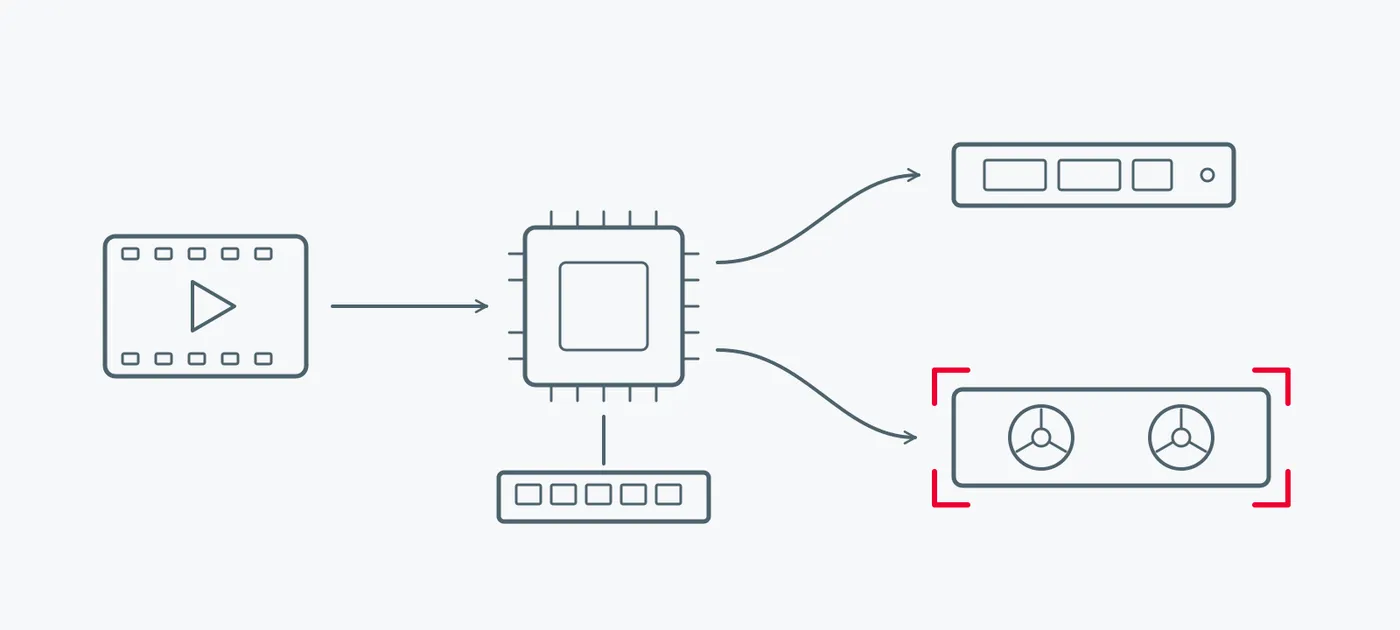
Kinesense LE reviews and transcodes video. Different algorithms use the CPU and GPU differently. If you use the more intensive algorithms, such as person attribute analysis, vehicle number plate recognition or face recognition, you will need a GPU. Storage and RAM speed are also important.
How to choose a CPU
- Clock speed is important for fast video import. We recommend an Intel Core Ultra 9 or similar.
- You can compare CPU speeds with PassMark’s free CPU benchmark list.
How to choose a GPU
- The GPU runs our more intensive algorithms, such as person attribute analysis, vehicle number plate recognition and face recognition.
- We recommend an NVIDIA GeForce RTX 5070 or similar.
- We only support GPUs that support DirectX 12.
- You can compare GPU speeds with PassMark’s free GPU benchmark list.
How to choose an SSD
- Video transcoding requires fast random access to storage.
- We recommend SSD drives, as they are much faster than older HDDs.
- Look for at least 7000 MB/s read and write.
How to choose RAM
- We recommend 32 GB of DDR5 RAM at 4800 MHz or faster.
Frequently asked questions
Does Kinesense LE need a GPU?
For the more intensive algorithms, yes. Person attribute analysis, vehicle number plate recognition (ANPR) and face recognition run on the GPU. We recommend an NVIDIA GeForce RTX 5070 or similar, and the GPU must support DirectX 12.
What CPU is best for Kinesense LE?
Clock speed matters most, because it sets how fast video imports. We recommend an Intel Core Ultra 9 or similar.
How much RAM does Kinesense LE need?
We recommend 32 GB of DDR5 RAM at 4800 MHz or faster.
Can I use a hard disk drive (HDD) instead of an SSD?
We recommend an SSD. Video transcoding needs fast random access to storage, and SSDs are much faster than older HDDs. Look for at least 7000 MB/s read and write.
Do I need to confirm the spec with Kinesense before buying?
Yes, please do, especially if your procurement rules or a tender require specific brands or models. Contact us with the spec you are considering.